Title here
Summary here
February 1, 2026 in Embedded4 minutes
A hands-on guide to SDR with the BladeRF xA4, from installation to first reception
Software Defined Radio (SDR) is an approach where traditional hardware radio components (mixers, filters, amplifiers, modulators, demodulators) are implemented in software instead of dedicated circuits. This means a single device can receive and transmit across a wide range of frequencies and protocols, simply by changing the software configuration.
SDR has become an essential tool for:
The BladeRF xA4 by Nuand is a USB 3.0 Software Defined Radio platform based on an Altera Cyclone V FPGA and an Analog Devices AD9361 RF transceiver.
| Feature | Specification |
|---|---|
| Frequency range | 47 MHz - 6 GHz |
| Bandwidth | Up to 56 MHz |
| Channels | 2x2 MIMO (dual TX, dual RX) |
| ADC/DAC resolution | 12-bit |
| Sample rate | Up to 61.44 MSPS |
| Interface | USB 3.0 SuperSpeed |
| FPGA | Altera Cyclone V (49K logic elements - xA4) |
Before diving into the BladeRF, here’s a quick overview of popular SDR platforms:
| Feature | RTL-SDR | HackRF One | BladeRF xA4 |
|---|---|---|---|
| Price | ~$30 | ~$300 | ~$480 |
| Frequency | 24 MHz - 1.7 GHz | 1 MHz - 6 GHz | 47 MHz - 6 GHz |
| TX/RX | RX only | Half-duplex | Full duplex |
| Channels | 1 | 1 | 2x2 MIMO |
| Resolution | 8-bit | 8-bit | 12-bit |
| Interface | USB 2.0 | USB 2.0 | USB 3.0 |
I personally went with the BladeRF xA4 because I had the budget and wanted to explore as many SDR possibilities as I could: receiving, transmitting, experimenting with different protocols. The BladeRF is professional-grade hardware. It’s not the absolute top-of-the-line reference, but it sits firmly in the high-end category, meaning I can experiment freely without hitting hardware limitations anytime soon.
For installation instructions, see the BladeRF documentation.
Once the firmware is flashed and the BladeRF has been power cycled, load the FPGA image:
bladeRF-cli -l hostedxA4-latest.rbfNote that -l (lowercase) loads the FPGA into RAM and must be done after each power cycle. Use -L (uppercase) to flash the FPGA persistently so it auto-loads on boot:
bladeRF-cli -L hostedxA4-latest.rbfVerify that everything is working:
bladeRF-cli -i -e "version"Expected output:
  bladeRF-cli version:        1.10.0-git
  libbladeRF version:         2.6.0-git

  Firmware version:           2.5.0
  FPGA version:               0.16.0
Open the interactive CLI to explore the device:
bladeRF-cli -iSome useful commands:
info — display board information (serial, FPGA size, USB speed, etc.)version — show firmware and FPGA versionsprint frequency — show current frequency for all channelsprint samplerate — show current sample rate for all channelsprint bandwidth — show current bandwidth for all channelsset frequency rx1 433M — tune RX1 to 433 MHzset samplerate rx1 2M — set RX1 sample rate to 2 MSPSset bandwidth rx1 1.5M — set RX1 bandwidth to 1.5 MHzhelp — list all available commandsInstall GQRX, an open-source SDR receiver application:
sudo dnf install SoapySDR SoapySDR-devel uhd-devel gqrxgit clone https://github.com/pothosware/SoapyBladeRF.git
cd SoapyBladeRF
mkdir build && cd build
cmake ..
make
sudo make installLaunch GQRX and configure the device. Select `BladeRF #0’. Set the input rate and decimation according to your needs:

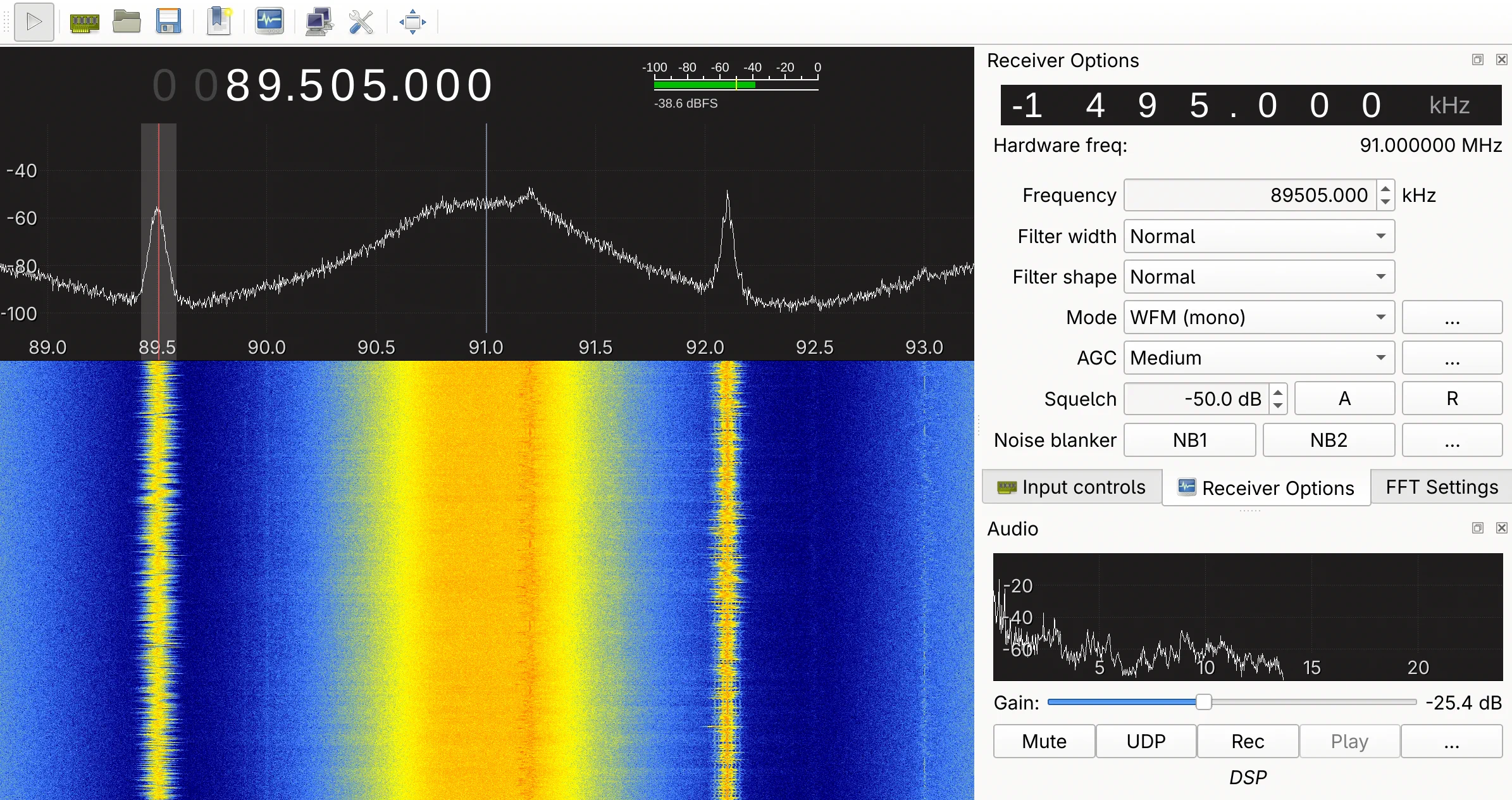
Tune to an FM station (e.g. 101.1 MHz), select WFM (stereo) as the demodulation mode, and click the play button to start receiving :
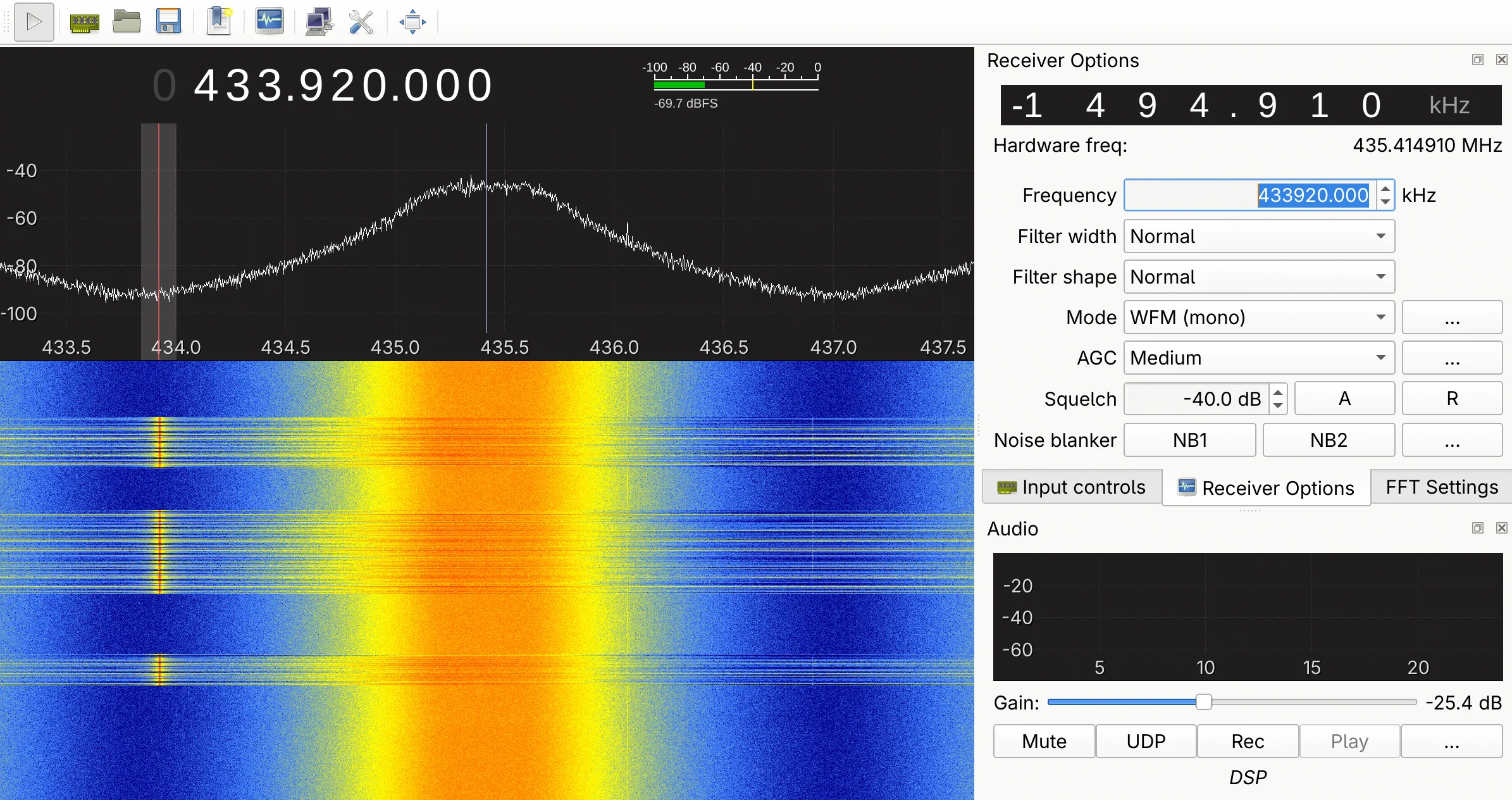
Here is another example: capturing the signal from a gate remote control at 433 MHz:
In this article, we covered the basics of working with a BladeRF xA4: setting up the firmware and FPGA, using the CLI to configure the radio parameters, and receiving signals with GQRX. From listening to FM radio to capturing 433 MHz remote control signals, these first steps give a solid foundation to explore the RF spectrum further. In future articles, we’ll dive deeper into signal analysis with GNU Radio and protocol decoding.